My Personal Experience with the Amazon Echo Show 8 (2nd Gen, 2021)
As someone who appreciates smart home tech but also values practicality, I was genuinely curious about the Amazon Echo Show 8 (2nd Gen). I finally decided to dive in and check today's price and see if this smart display could genuinely make a difference in my daily routine. After several months of having it prominently displayed in my kitchen, I’ve got a pretty good handle on its strengths and weaknesses. Here's my honest take.
First Impressions & Design
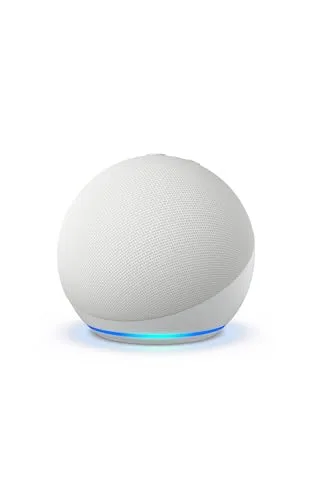
Out of the box, the Echo Show 8 feels solid and well-built. It's not overly heavy, but it has a nice heft to it. The 8-inch screen is a good size for most common areas – not too small to be useless, and not so large that it dominates the counter. I opted for the Charcoal color, and it blends in nicely with my kitchen decor. The fabric-covered base gives it a slightly more premium feel than just plain plastic, which I appreciate. Setting it up was pretty straightforward, mostly just plugging it in and connecting it to my Wi-Fi via the on-screen prompts. I was up and running with Alexa in about 10 minutes.
Screen and Sound Quality
The 8-inch HD touchscreen is surprisingly vibrant. Photos look crisp, and watching YouTube videos while cooking is actually enjoyable. It’s not a 4K OLED, obviously, but for a smart display, it’s more than adequate. I often have it display family photos, and they really pop. The adaptive brightness feature is handy, adjusting the screen based on the ambient light in the room, so it's never too glaring or too dim.
Sound-wise, I was pleasantly surprised. For a device of its size, the dual speakers produce a decent amount of bass and clear vocals. It’s not going to replace a dedicated sound system, but for background music, podcasts, or following a recipe video, it’s perfectly fine. I frequently use it to stream Spotify while I’m doing dishes, and it fills my kitchen with sound without sounding tinny or distorted.
Alexa's Smarts & Features
This is where the Echo Show 8 really shines for me. Alexa feels more responsive on this device than on my older Echo Dot. Having the visual feedback on the screen makes a huge difference. When I ask for the weather, I don't just hear it; I see the forecast for the week. Asking for a recipe brings up step-by-step instructions with pictures, which is incredibly helpful when my hands are covered in flour.
- Video Calls: The 13 MP camera with auto-framing is a game-changer for video calls. When I'm chatting with my parents, I can move around the kitchen, and the camera keeps me in focus. It's not perfect, sometimes cutting off a bit too much, but it's a huge step up from fixed cameras.
- Smart Home Control: This is a central hub for my smart lights and thermostat. I can tap the screen for quick controls or just use my voice. Seeing the status of my devices at a glance is really convenient.
- Routines: I've set up a "Good Morning" routine that turns on my kitchen lights, plays the news briefing, and shows me my calendar. It’s a small thing, but it helps kickstart my day. I also have a "Good Night" routine that turns off all the lights and locks the doors.
- Visual Information: Beyond recipes, I love having news headlines, sports scores, and even lyrics displayed when I'm listening to music. It adds a whole new layer of utility that a screenless Echo simply can't offer.
- Privacy: There's a physical camera shutter and a microphone mute button. I always appreciate having those tangible controls for privacy, giving me peace of mind that I’m not accidentally being seen or heard.
What Annoyed Me
While I generally love the Echo Show 8, it's not without its frustrations. Alexa still has moments of misunderstanding, especially with specific song requests or complex commands. Sometimes it defaults to Amazon Music even if I prefer Spotify, requiring an extra command to switch. The touch interface, while generally smooth, can occasionally feel a bit sluggish, especially when navigating deeper menus. Also, while the screen is good, it’s not always ideal for detailed web browsing or certain apps, feeling a bit constrained compared to a tablet. I found myself wishing for more third-party app integration sometimes. If you want to grab it on Amazon, just be aware it's not a full tablet replacement.
Pros and Cons
Pros:
- Excellent 8-inch HD display: Vibrant and clear for photos, videos, and visual information.
- Surprisingly good audio: Fills a room well for music and podcasts.
- Smart 13 MP camera with auto-framing: Makes video calls much more natural and flexible.
- Central smart home hub: Easy voice and touch control for connected devices.
- Visual Alexa feedback: Seeing information like weather, recipes, and lyrics is very useful.
- Physical privacy controls: Camera shutter and mic mute button are essential.
- Great for routines: Helps automate daily tasks.
Cons:
- Alexa still has quirks: Occasional misunderstandings or needing precise phrasing.
- Interface can be sluggish: Not always as zippy as I'd like, especially after updates.
- Limited app ecosystem: Not a tablet, so don't expect full Android app support.
- Camera performance in low light: Auto-framing works, but video quality dips noticeably in dimmer conditions.
- Constant power required: Not portable like a tablet, needs to be plugged in.
Who Should Buy This?
If you're already in the Alexa ecosystem or looking to jump into smart home control with a visual component, the Echo Show 8 is a fantastic choice. It’s perfect for a kitchen countertop where you want to follow recipes, watch a quick video, or make hands-free video calls. It also works great on a bedside table for an alarm clock, weather updates, and smart home control. Anyone who enjoys seeing visual feedback from their smart assistant will get a lot of mileage out of it. If you want a device to help streamline your morning or evening routines, or simply want an easy way to stay connected via video calls with family, then you should definitely consider it. You can pick one up here.
Who Should Skip It?
If you're looking for a portable tablet for web browsing, gaming, or extensive app usage, this isn't it. It's a smart display first and foremost. Also, if you're deeply ingrained in another smart assistant ecosystem (like Google Assistant) and don't want to switch, then obviously this wouldn't be the right fit. If you already have an older Echo Show and don't care about the improved camera or slightly snappier performance, an upgrade might not be necessary. And if you’re someone who values absolute privacy above all else and is wary of any always-on microphone/camera, even with physical shutters, then a smart display might not be for you at all.
Final Verdict
Overall, the Amazon Echo Show 8 (2nd Gen) has earned its spot in my home. It’s a versatile device that bridges the gap between a smart speaker and a tablet, providing a helpful visual interface for Alexa. While it has a few minor drawbacks, its strengths in smart home control, video calling, and general utility far outweigh them. It’s not a revolutionary device, but it’s a solid, reliable, and genuinely useful piece of tech that I find myself interacting with multiple times a day. If you’re considering adding a smart display to your home, especially for the kitchen or a main living area, the Echo Show 8 is definitely worth a look.