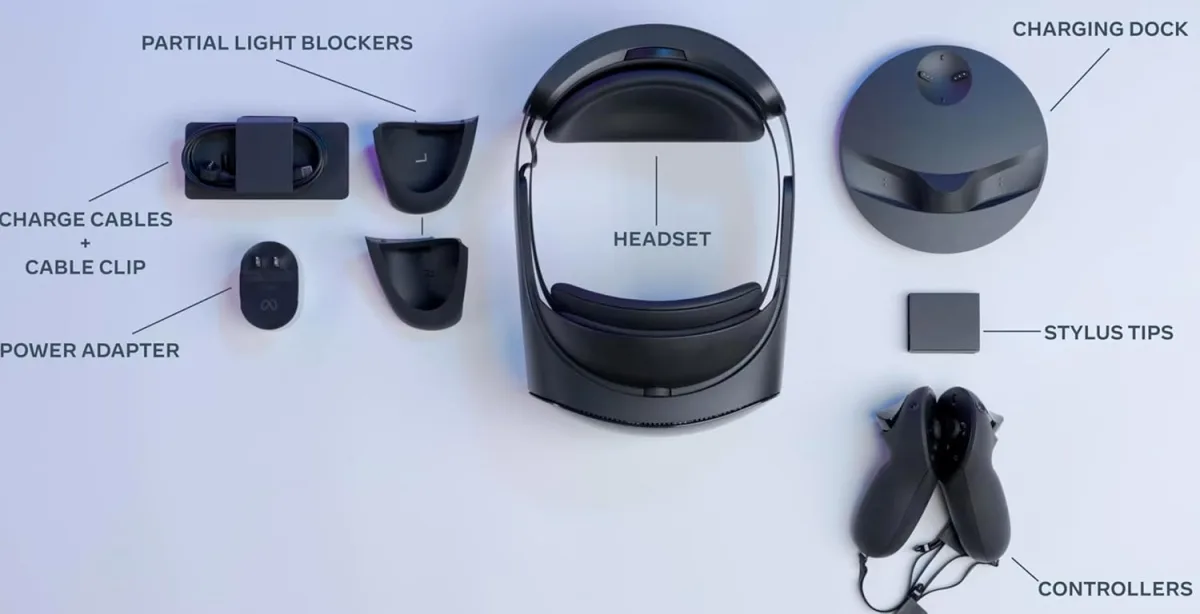
My First Impressions of the Meta Quest Pro
When I finally unboxed the Meta Quest Pro, my first thought was that it felt like a piece of futuristic hardware rather than a standard toy. The design is sleek, balanced, and remarkably different from the front-heavy headsets I’ve used in the past. After using it daily for three weeks, I’ve developed some pretty strong opinions on where this device shines and where it falls flat.
The first thing you notice is the open-peripheral design. It’s a strange feeling at first—having the edges of your vision exposed to your actual living room—but it’s a game-changer for spatial awareness. I didn't feel that claustrophobic "boxed-in" sensation that I usually get after an hour of VR gaming. If you’re curious about how current pricing stacks up, you should check today's price before making a move, as the market fluctuates quite a bit.
The Good: Display and Controllers
The pancake lenses on this headset are genuinely impressive. I noticed a massive improvement in text clarity compared to older models. Reading emails or browsing the web in a virtual workspace is actually viable now, which is something I never thought I’d say about a standalone headset.
Then there are the controllers. They don’t have those bulky tracking rings anymore, which means I can reach around my back or near my head without banging the controllers together. The self-tracking tech is spot on; I rarely had any drift issues, even when playing fast-paced rhythm games.
The Annoyances: Battery and Fit
It’s not all sunshine and rainbows. The battery life is, frankly, disappointing. If you’re planning a long session, you’ll be tethered to a battery pack or charging cable within two hours. For a "Pro" device, I expected at least a bit more stamina. Also, the fit is tricky. Because it’s a halo-style strap, getting the perfect sweet spot on your forehead can take some tinkering. If you don't get it just right, the weight can cause a pressure point on your forehead after about 45 minutes.
I also found the mixed reality features to be a bit hit-or-miss. While the color pass-through is a massive step up from black-and-white cameras, it still has a grainy quality that feels a bit like looking through a low-end security camera. It’s great for seeing your phone or grabbing a drink, but don’t expect to read fine print on a document in full pass-through mode.
Who Should Buy This?
- The Enthusiast: If you are obsessed with VR tech and want the best pancake lens clarity available in the Meta ecosystem, this is a solid pick.
- The Developer: If you are building apps that utilize eye-tracking or advanced mixed reality, the Pro is your primary tool.
- The Professional: If you do a lot of work in virtual meetings or collaborative design spaces, the comfort and clarity make it superior for productivity.
If you fit into these categories, you might want to grab it on Amazon while it's in stock.
Who Should Skip It?
If you are a casual gamer just looking to play Beat Saber or Supernatural on the weekends, save your money. The Quest 3 offers a similar, and in some ways better, gaming experience for a much lower price point. Don't feel like you need the "Pro" label to get a great experience. Also, if you have a smaller head, the halo strap might feel loose no matter how much you tighten it, which is a common complaint I’ve seen online.
Before you commit, take a moment to pick one up here only if you are sure it fits your specific use case. It’s a fantastic piece of tech, but it’s definitely targeted toward a specific type of user rather than the general masses.