Mount-It! iPad Kiosk Stand: My Honest Take
I recently needed a secure way to display an iPad for customer sign-ups in a small retail space, and the Mount-It! iPad Kiosk Stand caught my eye. I needed something sturdy, secure, and professional-looking. After putting it through its paces for a few weeks, I've got a pretty good handle on its strengths and weaknesses. Here's what I found.
First Impressions & Setup
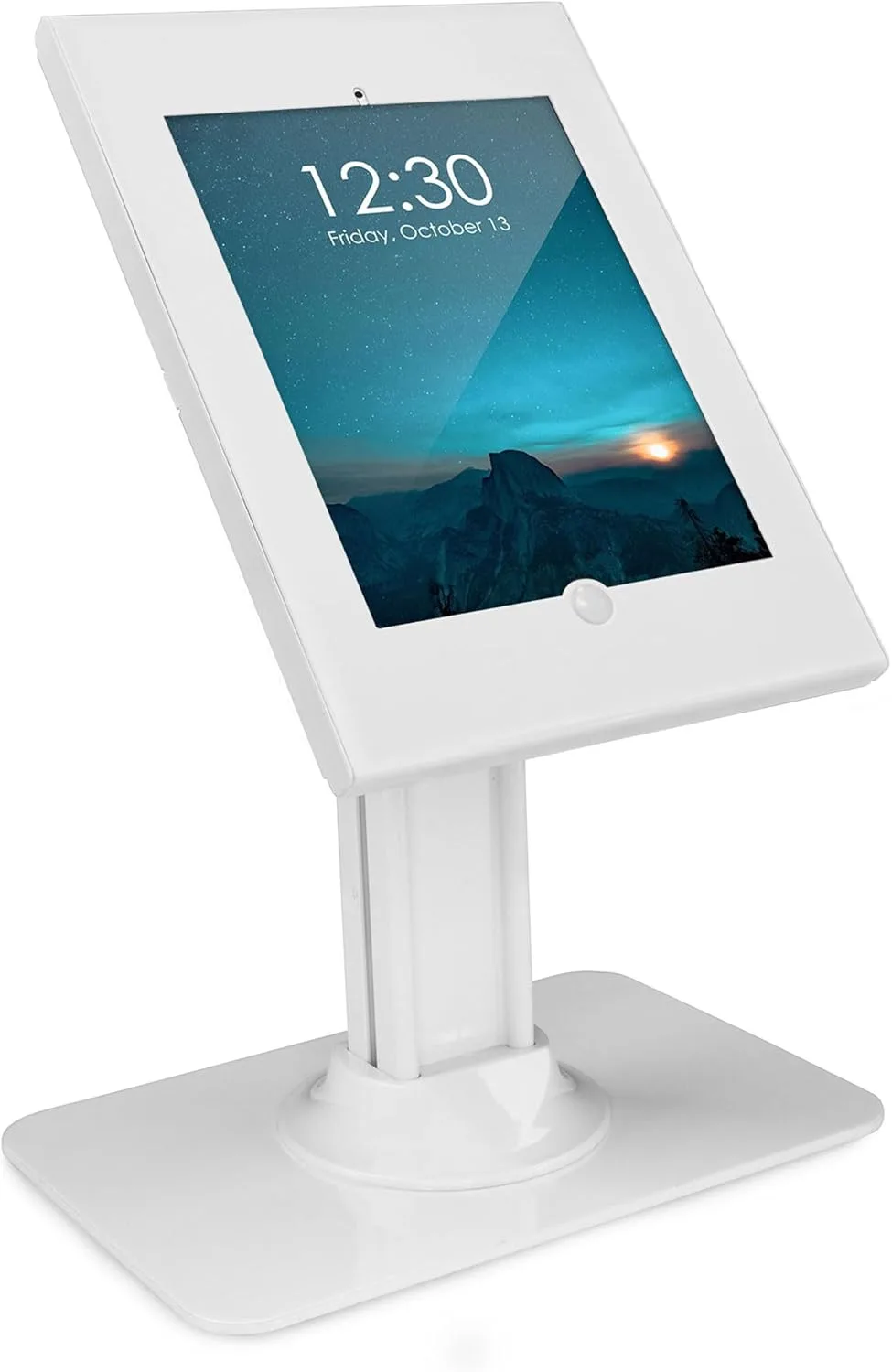
The package arrived well-protected, and unboxing revealed a surprisingly heavy stand. That's a good thing when you're talking about anti-theft. The components felt solid – mostly steel, with a clean white powder-coated finish that matched my store's aesthetic perfectly. It includes everything you need for both countertop and freestanding configurations, which is a nice touch.
Assembly was straightforward, though it did take a bit more time than I initially anticipated. The instructions were clear enough, but there are a fair number of screws and small parts. I'd recommend setting aside about 30-45 minutes, especially if you're like me and want to make sure every bolt is perfectly snug. I particularly appreciated the well-designed cable management system. It routes the charging cable neatly through the pole, keeping it out of sight and preventing tampering, which is crucial for a public-facing display.
Design and Build Quality
This isn't a flimsy plastic stand; the Mount-It! kiosk is built like a tank. The steel construction gives it significant heft, making it difficult to just walk off with, even in its freestanding configuration. The white finish looks sleek and modern, blending in without drawing undue attention to itself, which is what you want for a professional setup. The locking enclosure for the iPad itself feels robust. It secures the tablet completely, covering the home button (if applicable for older models) and preventing unauthorized access or removal. Two keys are provided, which is always a plus.
I tested it with an iPad Air 4, which is within its stated 10.2-11" compatibility range. The fit was snug and secure, thanks to the adjustable padding strips provided. I noticed it holds the tablet firmly without any wiggling, even when customers are tapping away. The enclosure can be rotated 360 degrees, and tilted, allowing for both portrait and landscape viewing, as well as adjustable viewing angles. This flexibility is fantastic, whether you're using it for interactive surveys or a static information display.
Anti-Theft Features: How Secure Is It?
This is where the Mount-It! stand really shines. The combination of the heavy base, the steel enclosure with a key lock, and the internal cable routing makes it exceptionally secure. For countertop use, you can bolt it down directly to a surface for maximum peace of mind. I opted for the freestanding base initially, which is still incredibly stable due to its weight and wide footprint. No one's going to casually stroll off with this without making a significant effort and noise.
The locking mechanism for the iPad enclosure is simple but effective. You slide the iPad in, close the front panel, and turn the key. Done. It provides excellent protection against casual theft or tampering. For serious thieves with tools and determination, nothing is 100% foolproof, but for deterring opportunistic theft in a public environment, this is top-notch. If you're looking for that extra layer of security, you really should check today's price on this stand.
Versatility & Usage Experience
I appreciated the option to switch between countertop and freestanding. For my needs, the countertop mount was ideal, but knowing I could convert it to a floor stand for events or different layouts later is a huge bonus. Switching between the two takes a bit of work, but it's not something you'd do daily. The internal cable routing is excellent for keeping things tidy and powered up continuously. My only minor annoyance was that changing iPads out isn't super quick, but that's the trade-off for robust security. You wouldn't want it to be too easy to open.
Pros:
- Exceptional Security: Heavy steel construction, locking enclosure, and optional bolt-down.
- Versatile Design: Easily converts between countertop and freestanding base.
- Clean Aesthetics: White powder-coated finish looks professional and modern.
- Excellent Cable Management: Keeps cables hidden and secure within the pole.
- Adjustable Viewing: 360-degree rotation and tilt for optimal display.
- Sturdy Build: Feels very durable and built to last.
Cons:
- Assembly Time: Takes a little while to put together, with many small parts.
- iPad Swapping: Not ideal for situations where you need to frequently remove the iPad.
- Weight: It's heavy, which is good for security but makes moving it around a bit cumbersome.
Who Should Buy This?
This Mount-It! iPad Kiosk Stand is perfect for businesses and institutions that need a secure and professional way to display an iPad in a public setting. Think retail stores for loyalty sign-ups, restaurants for digital menus or feedback, museums for interactive exhibits, schools for information kiosks, or even trade show booths. If you have an iPad Pro, Air, or a Gen 7-11 (10.2-11") and value security and a clean aesthetic, then grab it on Amazon.
Who Should Skip It?
If you need a very portable stand that you'll move frequently, or if you need to swap out iPads multiple times a day, this might be overkill or too cumbersome. Also, if you only need a basic, non-locking stand for private, low-risk environments, there are lighter, simpler (and cheaper) options out there. This product is specifically for those who prioritize security and stability above all else for their public-facing iPad displays. If that’s not you, then you might want to consider alternatives. But if it is, you can pick one up here.