Why I Ditched My Phone Timer
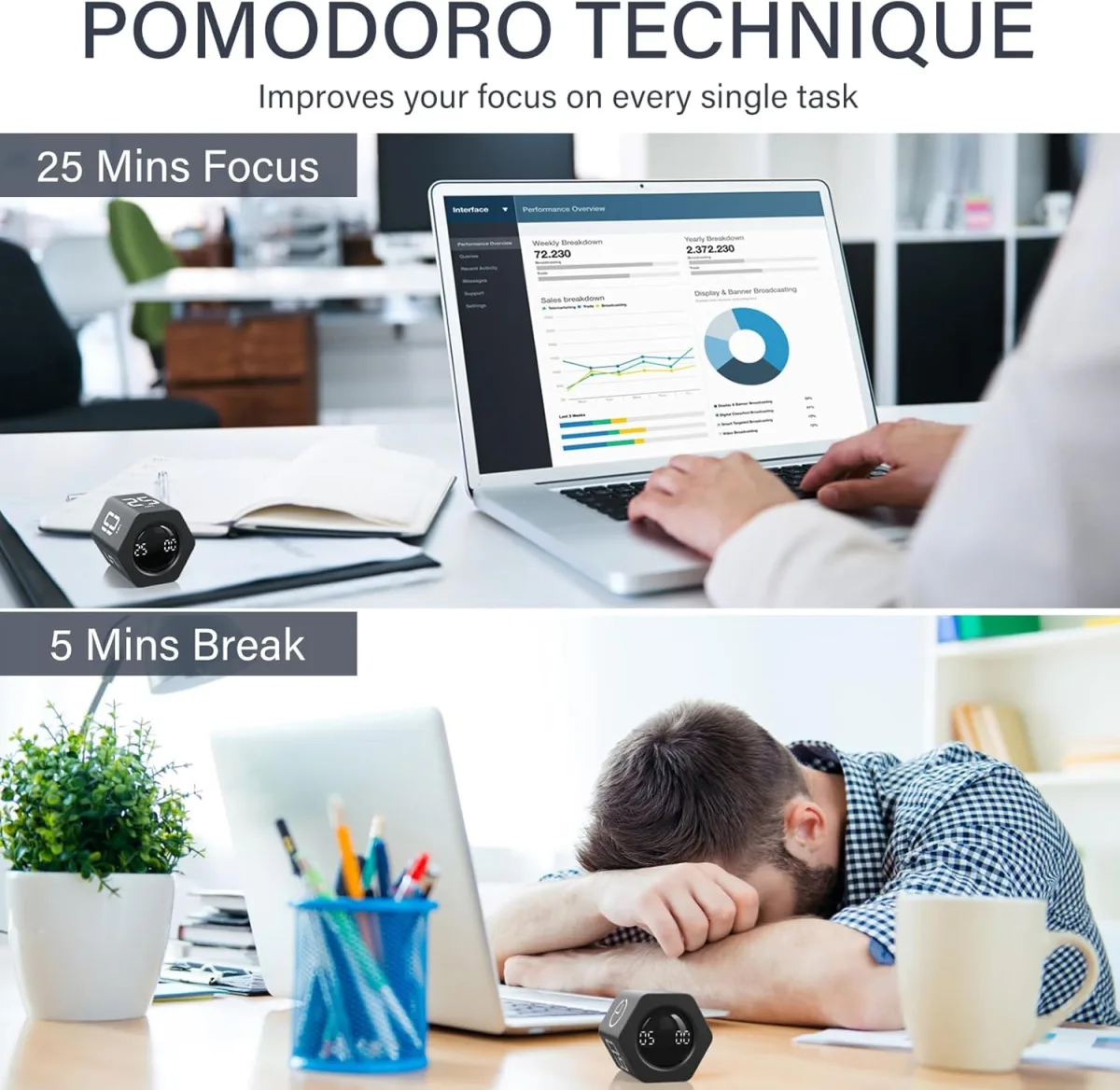
I have a terrible habit of picking up my phone to set a 25-minute study timer, only to get sucked into a 45-minute social media doomscrolling session. I realized I desperately needed a dedicated, physical timer. After seeing a few productivity influencers rave about tactile timers, I decided to grab it on Amazon and give this Rotating Pomodoro Stopwatch a try.
I have been using it every single day for the past three weeks. It sits right under my monitor while I work from home, and occasionally it migrates to the kitchen when I am baking. Here is exactly what I think about it after putting it through its paces in my daily routine.
First Impressions and Build Quality
Right out of the box, the device feels surprisingly solid. It does not have that cheap, hollow plastic feel that plagues a lot of budget desk accessories. The outer ring is textured slightly, giving you a really good grip when you twist it. That twist mechanism is absolutely the star of the show here. Instead of mashing little rubber buttons to set the time, you just rotate the outer bezel. Fast turns advance the minutes quickly, while slow turns let you fine-tune the seconds.
It features a clean, minimalist aesthetic that blends perfectly into a modern desk setup. I also noticed a surprisingly strong magnet on the back, which I didn't think I would care about until I slapped it onto my fridge while roasting vegetables. If you want to check today's price, you will see it is pretty affordable for the functionality you are getting.
The Features That Actually Matter
The Vibration Mode is a Game Changer
This was the main reason I bought this specific model. Most kitchen timers scream at you with a high-pitched beep that completely shatters your focus. This one has a physical switch on the back to toggle between a loud beep, a quiet beep, and a silent vibration mode.
I use the vibration mode 90 percent of the time. When my 25-minute Pomodoro sprint is up, it just buzzes firmly against my desk pad. It is enough to pull me out of a deep work state without giving me a heart attack. It is also fantastic if you work in an open office or study in a library and do not want to be that person annoying everyone around you.
Display and Visibility
The LED numbers are massive and bright. I can easily glance down and see exactly how much time I have left without breaking my train of thought. However, the screen does dim after a few seconds to save battery life. This annoyed me at first because I really wanted an always-on display, but it wakes up instantly if you just tap the top button. Over time, I actually started preferring the dimmed screen because it is much less distracting when I am trying to focus on my monitor.
What I Loved (The Pros)
- Tactile satisfaction: Turning the dial to set the time feels incredibly satisfying, almost like cracking a safe. It makes setting a timer fun.
- Silent vibration alert: Perfect for quiet environments, late-night study sessions, or just keeping your stress levels low.
- Magnetic back: Super handy for using it as a kitchen timer on the fridge or the oven door.
- Stopwatch function: You can count up as well as down, which is great for tracking how long a specific task actually takes me to finish.
What Annoyed Me (The Cons)
- Battery situation: It runs on standard AAA batteries instead of being USB-C rechargeable. Since my desk is already covered in gadgets, I would rather just plug it in once a month than hunt for fresh batteries.
- Sensitivity: The dial is very sensitive. Sometimes when I grab it to move it across my desk, I accidentally twist the bezel and mess up my countdown. You have to learn to pick it up by the base.
Who Should Buy This
If you struggle with ADHD, get easily distracted by your phone notifications, or rigorously use the Pomodoro technique for work or studying, this is a fantastic tool. It creates a physical boundary between your work and your digital distractions. It is also a great fit for home cooks who want a timer they can operate with messy hands just by giving it a quick flick of the wrist.
Who Should Skip It
If you absolutely need an always-on display that never dims, this will definitely frustrate you. Also, if you hate buying AAA batteries and strictly want rechargeable tech on your desk, you might want to look elsewhere.
Final Verdict
Overall, this little gadget has genuinely improved my daily workflow. It completely eliminated the excuse of checking my phone to set a timer, which used to derail my entire morning. The minor gripes about the batteries and the sensitive dial are easily outweighed by how much I love the silent vibration mode and the physical dial.
If you are trying to build a distraction-free workspace, I highly recommend adding this to your setup. You can pick one up here and see for yourself. It is a small investment that easily pays for itself in reclaimed focus time.