My Honest Take on the EMEET Streaming Dual-Camera Webcam
As someone who spends a good chunk of my week in online meetings, delivering presentations, and occasionally doing product demos, I’m always on the lookout for gear that makes the experience smoother and more engaging. Standard webcams are fine, but they always felt limiting. You either show your face or you awkwardly try to point your camera at something else, which usually ends up blurry and frustrating. That’s why the EMEET Streaming Dual-Camera Webcam caught my eye. The idea of having two cameras – one for me, one for whatever I wanted to show – sounded like pure genius. I decided to take the plunge and see if it lived up to the hype.
First Impressions & Setup
When the box arrived, I was pretty impressed by the packaging. It felt premium, not some cheap gadget. Inside, the webcam itself felt solid and well-built. It has a good heft to it, which often indicates better quality. Setting it up was surprisingly straightforward. It’s mostly plug-and-play. I just connected it to my Windows PC via USB, and it was recognized almost instantly. There’s EMEET’s Link software you can download, which I highly recommend for unlocking all the features, but you can get basic functionality right out of the box with Zoom, Teams, or whatever video conferencing platform you use.
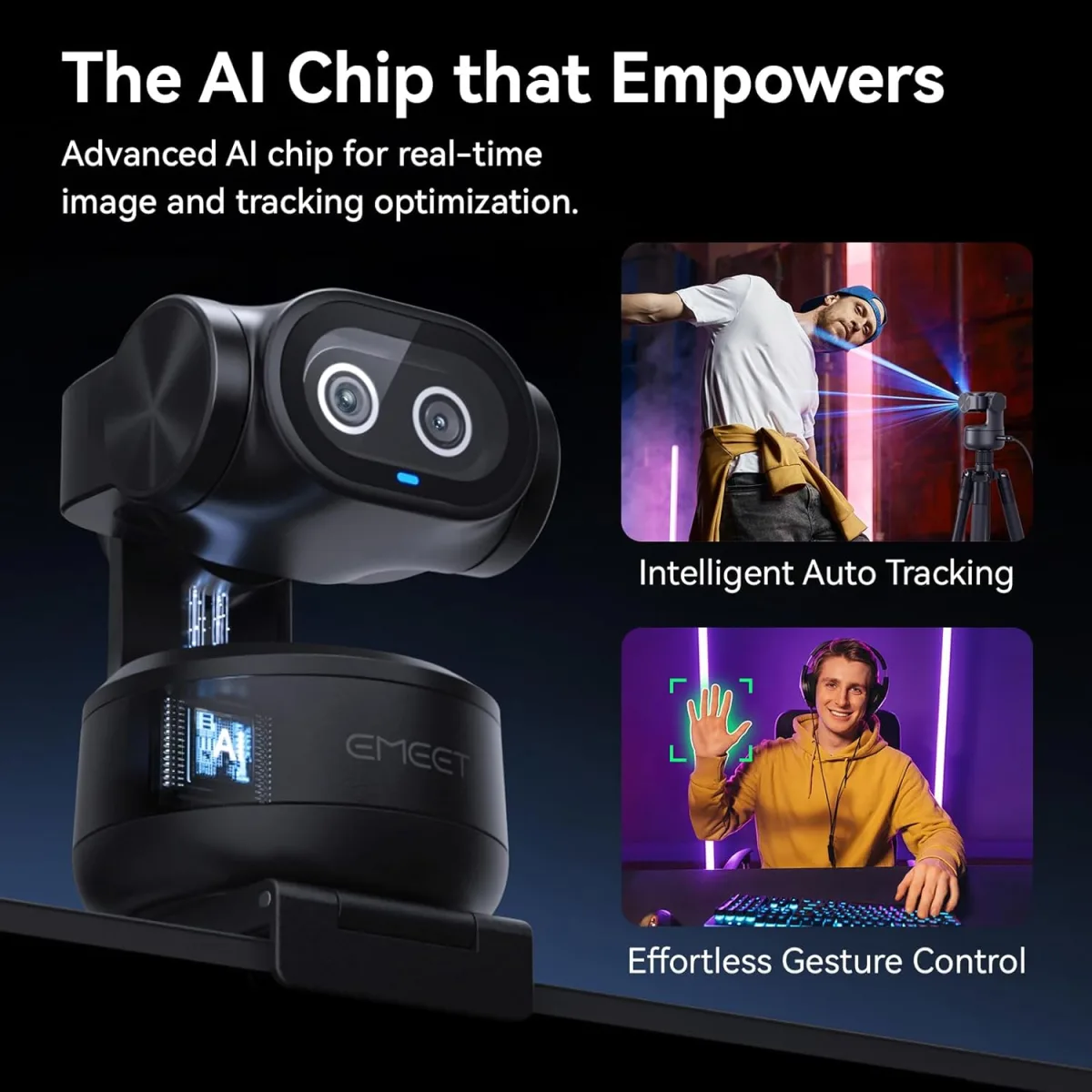
The dual camera design is clever. One camera is fixed forward, pointed at you, and the second one swivels on top, allowing you to point it downwards at your desk or towards a whiteboard. It clamps easily onto most monitors, and I had no trouble getting it stable on my rather thin laptop screen.
The Dual Camera Magic: Whiteboard & Object Mode
This is where the EMEET really shines. The dual camera functionality isn't just a gimmick; it's genuinely useful. The main camera, pointed at me, offers a crisp 1080p picture. It handles typical office lighting pretty well, though like most webcams, it struggles a bit in very low light. Colors are accurate, and the auto-focus keeps me sharp.
But the real star is that secondary, swiveling camera. I primarily bought this for two things: illustrating ideas on a whiteboard and showing physical products. And for both, it's fantastic. The dedicated "whiteboard mode" in the EMEET Link software is a game-changer. It crops, brightens, and deskews the whiteboard image, making whatever you write or draw incredibly clear for your audience. Seriously, it's like magic. My scribbles on a physical whiteboard looked perfectly legible on screen, almost like a digital document. It’s far superior to trying to angle your main webcam at a whiteboard and getting a distorted, dim view.
For product demos, the flexibility to point the second camera directly at an object on my desk is invaluable. Whether it's showing off a new gadget, a document, or even just explaining a concept with a physical prop, the ability to switch seamlessly between my face and the object view is incredibly powerful. The auto-focus on the secondary camera works well, usually locking onto the object quickly. If you’re a creator, an online teacher, or someone who frequently needs to show physical items, you absolutely need to check today's price on this thing.
Video & Audio Quality
Both cameras deliver 1080p at 30fps. The video quality is good for a webcam; it's sharp enough for professional use, and the colors are pretty natural. It's not going to replace a dedicated DSLR for high-end streaming, but for meetings, online classes, and casual streams, it's more than sufficient. I did notice that in very dim environments, like any webcam, noise can creep in, but with even a little ambient light, it performs admirably.
The audio quality from the built-in microphones is decent. It picks up my voice clearly, and I haven't had any complaints from meeting participants about muffled sound. It also seems to do a reasonable job of filtering out background noise, like my keyboard clicks. For most users, you won't need a separate mic, but if you're a serious streamer or podcaster, you'll still want a dedicated external microphone, which is pretty standard advice.
Software Experience (EMEET Link)
While you can use the EMEET Dual Cam without its proprietary software, the EMEET Link application is where you unlock its full potential. This is where you activate the whiteboard mode, switch between cameras, adjust settings, and even use features like auto-framing (which works okay, but sometimes crops a bit too aggressively for my taste) and speaker tracking. The software is generally intuitive, though I did experience a minor bug or two initially where a setting didn't apply instantly. A quick restart of the software usually fixed it. It's not the most polished software I've ever used, but it's functional and essential for leveraging the unique features of the device.
What I Liked (Pros)
- Truly Innovative Dual Camera: The ability to switch between presenter and object/whiteboard view is incredibly powerful.
- Excellent Whiteboard Mode: This feature alone is worth it for educators and presenters. It makes physical whiteboards usable in online settings.
- Solid Video Quality: 1080p is crisp and clear for most uses.
- Easy Setup: Plug and play for basic functionality.
- Good Build Quality: Feels sturdy and well-made.
- Privacy Cover: A simple but welcome addition.
What Annoyed Me (Cons)
- Software Can Be Fickle: The EMEET Link software, while powerful, could use a bit more refinement and stability.
- Auto-Framing is Hit-or-Miss: Sometimes it's great, other times it cuts off parts of me or takes a while to adjust.
- Low Light Performance: Not terrible, but like most webcams, it struggles in very dim rooms.
Who Should Buy This
If you're an online educator, a remote trainer, a livestreamer doing product reviews or demonstrations, or even just someone who frequently leads interactive meetings where showing physical items or illustrating on a whiteboard is key, then this webcam is a fantastic investment. It genuinely enhances engagement and clarity far beyond a standard single webcam setup. If you constantly find yourself wishing you could easily show what's on your desk or illustrate a point without awkward camera angles, then you should absolutely pick one up here.
Who Should Skip It
If you just need a basic webcam for casual video calls with friends and family, and never plan on showing anything other than your face, then this might be overkill. A simpler, cheaper 1080p webcam will probably suffice. Also, if you're a professional videographer needing 4K resolution and advanced controls, this isn't designed to replace your high-end gear.
Final Thoughts
Overall, the EMEET Streaming Dual-Camera Webcam has become an indispensable tool in my setup. It’s not perfect – the software could use a bit more polish – but its core functionality of providing two versatile camera angles, especially the incredible whiteboard mode, makes it a standout product. It solves a real problem for many online communicators and does so effectively. I'm genuinely happy with my purchase and the added professionalism it brings to my online interactions.