The Dreaded White Streak of Doom
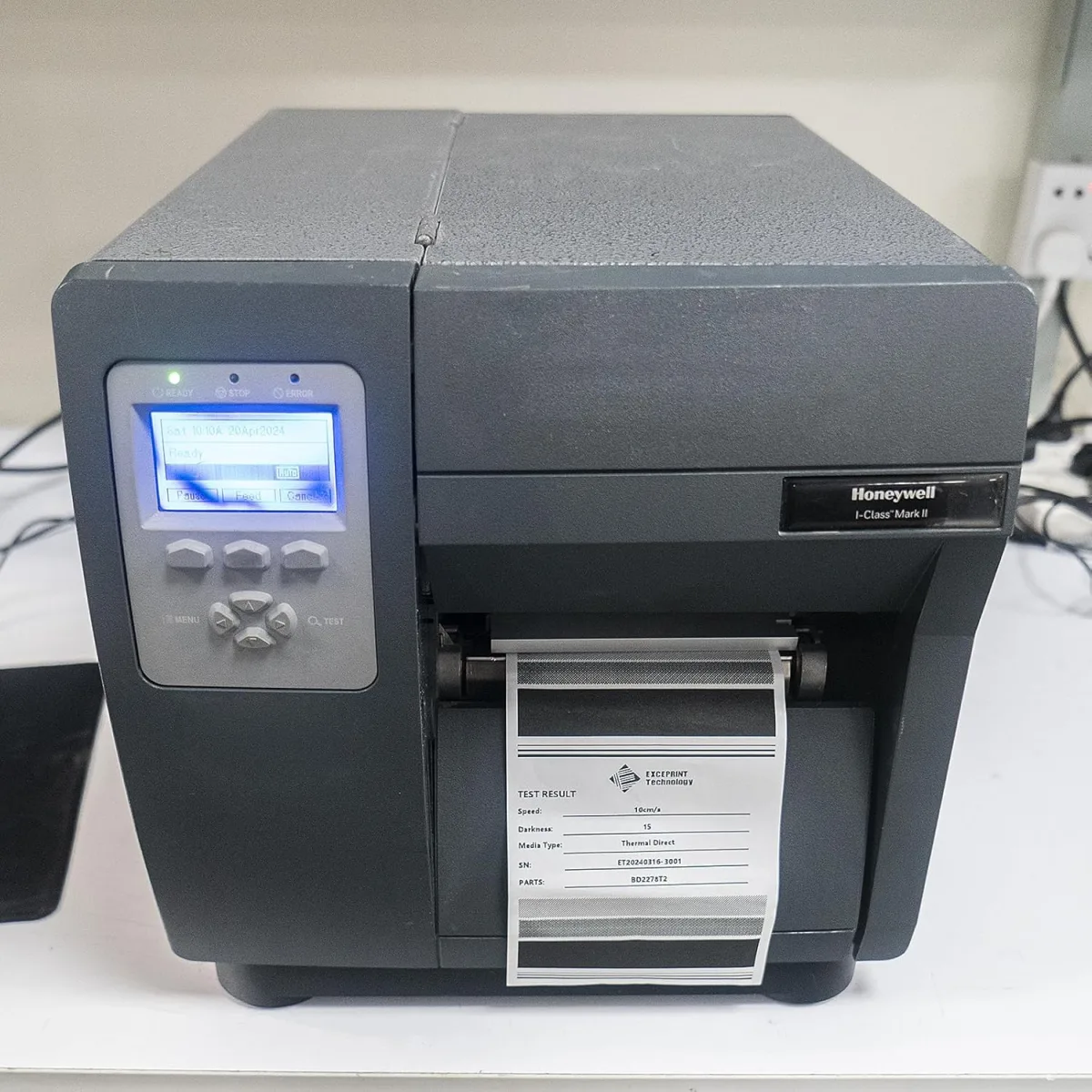
If you run a shipping department or warehouse, you already know the sinking feeling. I was pulling a batch of FedEx labels off our Datamax O'Neil I-Class Mark II printer last month, and there it was: a solid white line running right through the middle of the barcodes. Dead pixels on a thermal printhead are basically a death sentence for scannability. Our drivers couldn't scan the packages, and manually typing tracking numbers is a massive waste of time.
I immediately looked up the official OEM replacement part (PHD20-2278-01). The price tag made me wince. We run a tight budget, and dropping hundreds of dollars on a single consumable part hurts. I started hunting for aftermarket options and stumbled across the EXCEPRINT 203dpi replacement. I was skeptical at first because cheap knockoff printheads usually burn out in a week or have terrible heat distribution. But I decided to take a gamble and check today's price to see if the savings were worth the risk.
Installation: Swapping Out the Hardware
The printhead arrived a few days later, sealed safely in a static-proof bag. One thing that annoyed me slightly was the outer packaging. It was just a standard, somewhat flimsy cardboard box without much padding. Given how fragile thermal glass elements are, I would have preferred a bit more bubble wrap. Thankfully, the unit itself was completely undamaged.
Installing a printhead on the Datamax I-4212E isn't rocket science, but you do need to be careful. I grounded myself to avoid static shock, unlatched the printhead carriage, and carefully unplugged the dual ribbon cables from the old dead unit. The EXCEPRINT snapped into the carriage bracket perfectly. The alignment pegs matched up exactly with the OEM specs, which was a huge relief. Sometimes third-party parts require weird modifications, but this was a true plug-and-play fit.
Print Quality and Performance
Once it was seated and the cables were reconnected, I cleaned the new glass element with an isopropyl alcohol wipe (never skip this step, trust me) and loaded up a roll of 4x6 direct thermal labels. I hit the feed button to run a test print.
The first few labels came out a little too dark, with the edges of the barcodes bleeding slightly. This is totally normal when switching printheads. I went into the printer's menu and bumped the darkness/heat setting down by about 10 percent. The next batch? Flawless. The 203dpi resolution was crisp, the text was sharp, and most importantly, our Motorola scanners picked up the barcodes instantly from three feet away.
After a few weeks of pushing about 800 labels a day through this thing, it is still holding up beautifully. I haven't seen a single dropped pixel or faint spot. I do make sure my team wipes the printhead down at the end of every week to prevent adhesive buildup, which definitely helps prolong its life.
Pros and Cons
Here is my honest breakdown after putting this part through its paces on the warehouse floor.
What I Liked
- Massive cost savings compared to buying the original Datamax-branded printhead.
- Perfect physical fit. The alignment tabs and cable ports are identical to the original.
- Excellent, consistent heat distribution. No faded edges on our wide labels.
- Easy to install if you have basic familiarity with thermal printers.
What Could Be Better
- The shipping packaging is pretty basic. Inspect yours for damage the second it arrives.
- It runs slightly hotter than the OEM head out of the box, requiring a quick tweak to your printer's darkness settings.
- Long-term lifespan over multiple years is still unproven compared to the original parts.
Who Should Buy This
If you run a small to mid-sized business, fulfillment center, or warehouse and your Datamax I-4212E is spitting out unreadable barcodes, this is a fantastic buy. It completely revives the printer for a fraction of the cost. If you are handy enough to swap a basic computer part, you will have no trouble installing this. I highly recommend you grab it on Amazon to keep your shipping lines moving without blowing your maintenance budget.
Who Should Skip It
If you are locked into a strict manufacturer warranty that voids upon using third-party parts, you should probably stick to the official replacements. Also, keep in mind this is a 203dpi printhead. If you are trying to print incredibly tiny jewelry tags or ultra-dense micro-barcodes, you shouldn't be using this printer model anyway—you need a 300dpi or 600dpi machine.
Final Verdict
Printer maintenance is just an annoying reality of shipping logistics. Printheads are consumables, and they will eventually die. Finding a reliable third-party alternative like the EXCEPRINT has been a huge win for our operations. It does exactly what it promises, fits perfectly, and keeps our packages flowing out the door. If your shipping labels are starting to look like zebras, do yourself a favor and see what others paid before shelling out for the brand-name version.