My Honest Take on the Samsung Galaxy Tab Ultra Keyboard
Let's talk about the giant elephant in the room: the Galaxy Tab S9 Ultra (and the newer S10 Ultra) is absolutely massive. When I picked up my Ultra, I knew I wanted to use it as a full-blown laptop replacement. Typing on a 14.6-inch piece of glass gets old fast. So, I bit the bullet and bought the official Samsung Detachable Book Cover Keyboard. I've been using it daily for over a month now, typing emails, editing documents, and navigating Samsung DeX. Here is my unfiltered take on whether this pricey accessory is actually worth your hard-earned cash.
First Impressions and Build Quality
Setting this thing up is totally idiot-proof. It comes in two separate pieces: the back cover with an adjustable kickstand, and the actual keyboard deck. Both attach to the tablet magnetically. I was honestly shocked by how strong the magnets are. The back cover snaps on with a satisfying thud and holds firm.
After a few weeks of heavy use, I also realized how much I appreciate the dedicated S Pen storage compartment. The back cover features a little magnetic flap that goes right over the S Pen charging strip. Before I had this cover, I was constantly knocking the stylus off in my backpack. The kickstand itself is stiff in a very reassuring way. You can push it back to almost any angle, making it incredibly easy to draw or watch movies in bed. If you want to check today's price, prepare yourself—it fluctuates, but it is definitely a premium-priced accessory.
The Typing and Trackpad Experience
The keys themselves feel remarkably good. I'm a bit of a keyboard snob, and I was worried this would feel like typing on mushy cardboard. Instead, there's a snappy, satisfying tactile bump. The key travel is excellent for a folio case, and because the Ultra tablet is so wide, the keyboard is fully sized. There's no cramped feeling at all. You even get a dedicated function row, which makes adjusting volume and screen brightness a breeze.
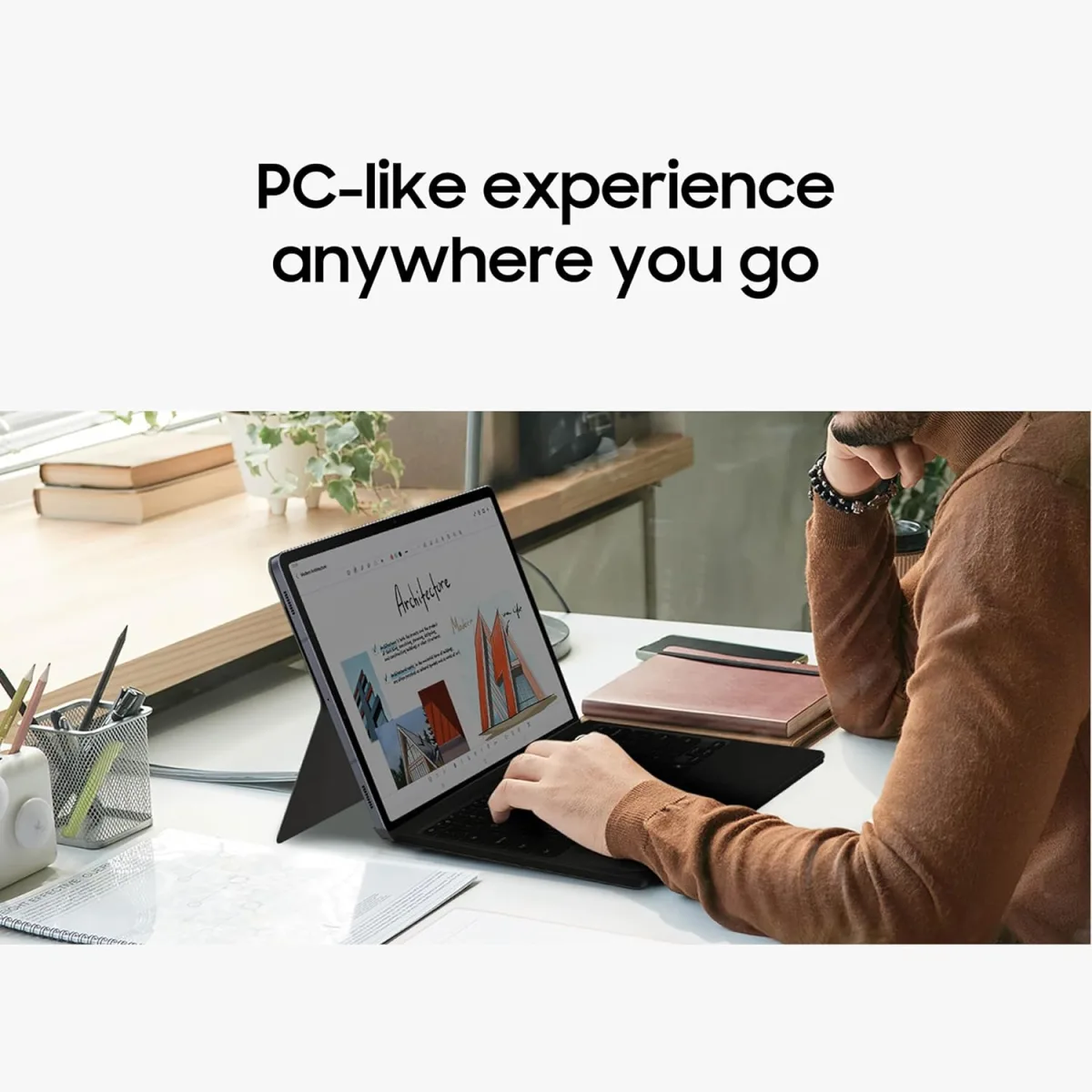
Then there is the trackpad. It is massive. It really sells the "PC-like experience" Samsung advertises on the box. Swiping around in Samsung DeX feels fluid, and multi-touch gestures like two-finger scrolling work flawlessly. However, I noticed a slight annoyance. Sometimes, when resting my palms to type a long document, the palm rejection fails and my cursor jumps to a random line. It doesn't happen every single time, but it's frequent enough that I had to adjust my typing posture slightly to keep my palms hovered.
The Drawbacks (What Annoyed Me)
Let's get real about the downsides. First up is the weight. The Tab S10/S9 Ultra is already a heavy beast on its own. When you slap both halves of this keyboard case onto it, the combined weight rivals a 15-inch laptop. It completely kills the thin and light tablet vibe. If you carry it in a messenger bag all day, your shoulder will feel it.
Second is the price. It is wildly expensive for a keyboard case. You can see what others paid to get an idea, but it's an investment. I also wish the keyboard deck was a bit more rigid. When using it on my actual lap while sitting on the couch, there is a tiny bit of flex. It definitely performs best on a solid desk or coffee table.
Pros and Cons Summary
- Pros: Fantastic key travel and layout, massive glass trackpad, brilliant kickstand design, smart S Pen protection flap, seamless DeX integration.
- Cons: Adds significant weight and bulk to the tablet, premium price tag, occasional trackpad palm-rejection hiccups, slight flex when typing on your lap.
Who Should Buy This
If you use your Tab S10 Ultra or S9 Ultra as your primary computer for work, school, or heavy productivity, this is a must-have. It unlocks the true potential of DeX mode and makes multitasking incredibly easy. The kickstand alone is almost worth it for digital artists who need a sturdy, adjustable drawing angle.
Who Should Skip It
If you mostly use your tablet for reading comics, watching Netflix on the couch, or playing mobile games, do not buy this. It makes the tablet way too heavy for casual handheld use. You'd be much better off buying a cheap, lightweight folio case without a keyboard attached.
Final Verdict
Despite the hefty weight and premium price tag, I don't regret buying it. It successfully transformed my massive tablet into a legitimate work machine. When I'm done working for the day, I just yank the keyboard half off and use the kickstand to watch YouTube. It's versatile, well-built, and integrates perfectly with Samsung's software ecosystem. If you're ready to turn your tablet into a laptop replacement, you can grab it on Amazon right now.