My Hands-On Experience with the TONGVEO 10X PTZ Camera
As someone who frequently sets up streaming solutions for small businesses and local community events, I’m always on the lookout for cameras that offer a good balance between performance and price. When I saw the TONGVEO Live Streaming Camera pop up, I figured it was worth a shot, especially with its promises of 10X optical zoom and 1080P output. I've spent the last few weeks putting it through its paces in various scenarios, from a small mock-up classroom to a live stream test in my home studio, and I've got some honest thoughts to share.
First Impressions & Setup Simplicity
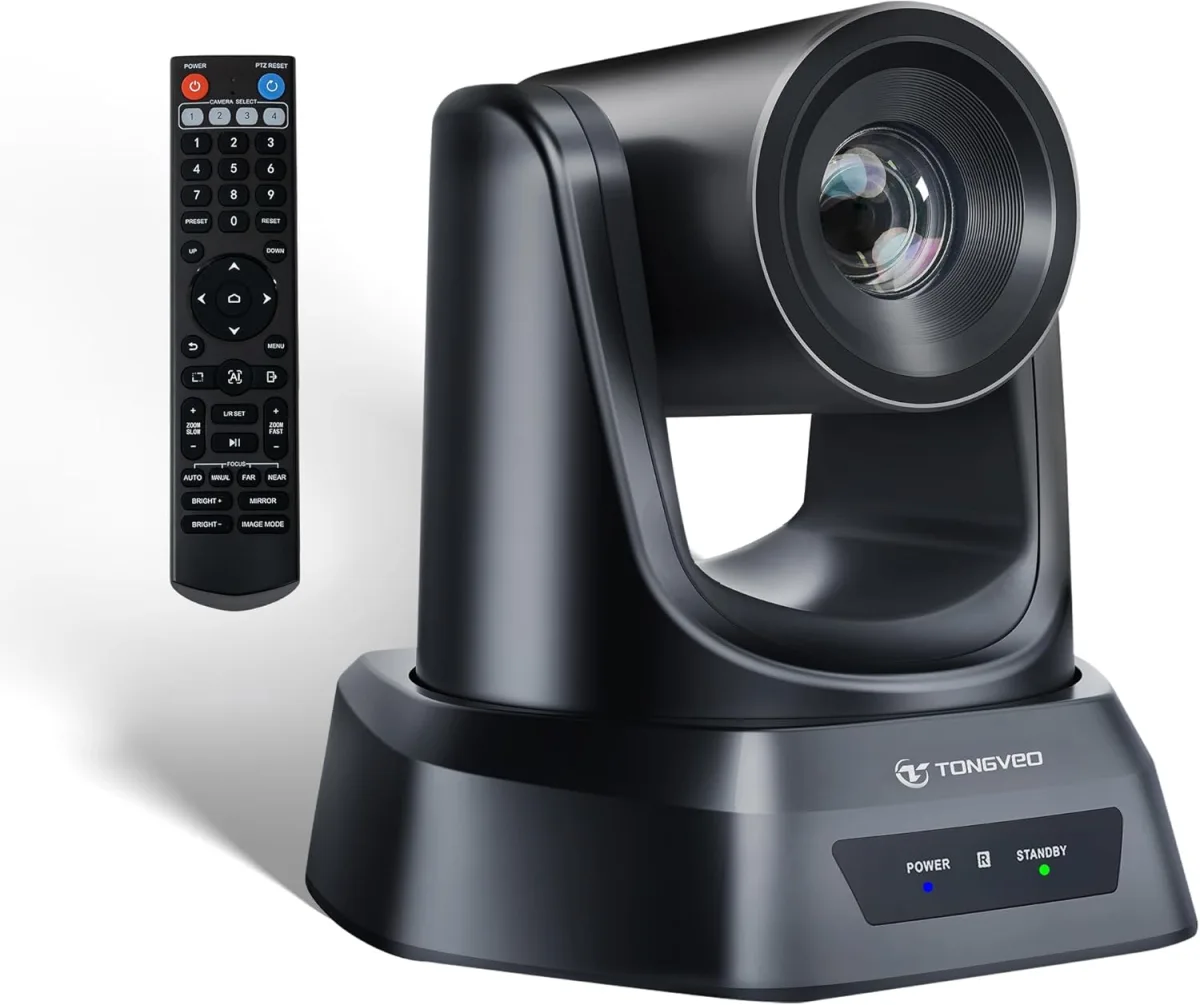
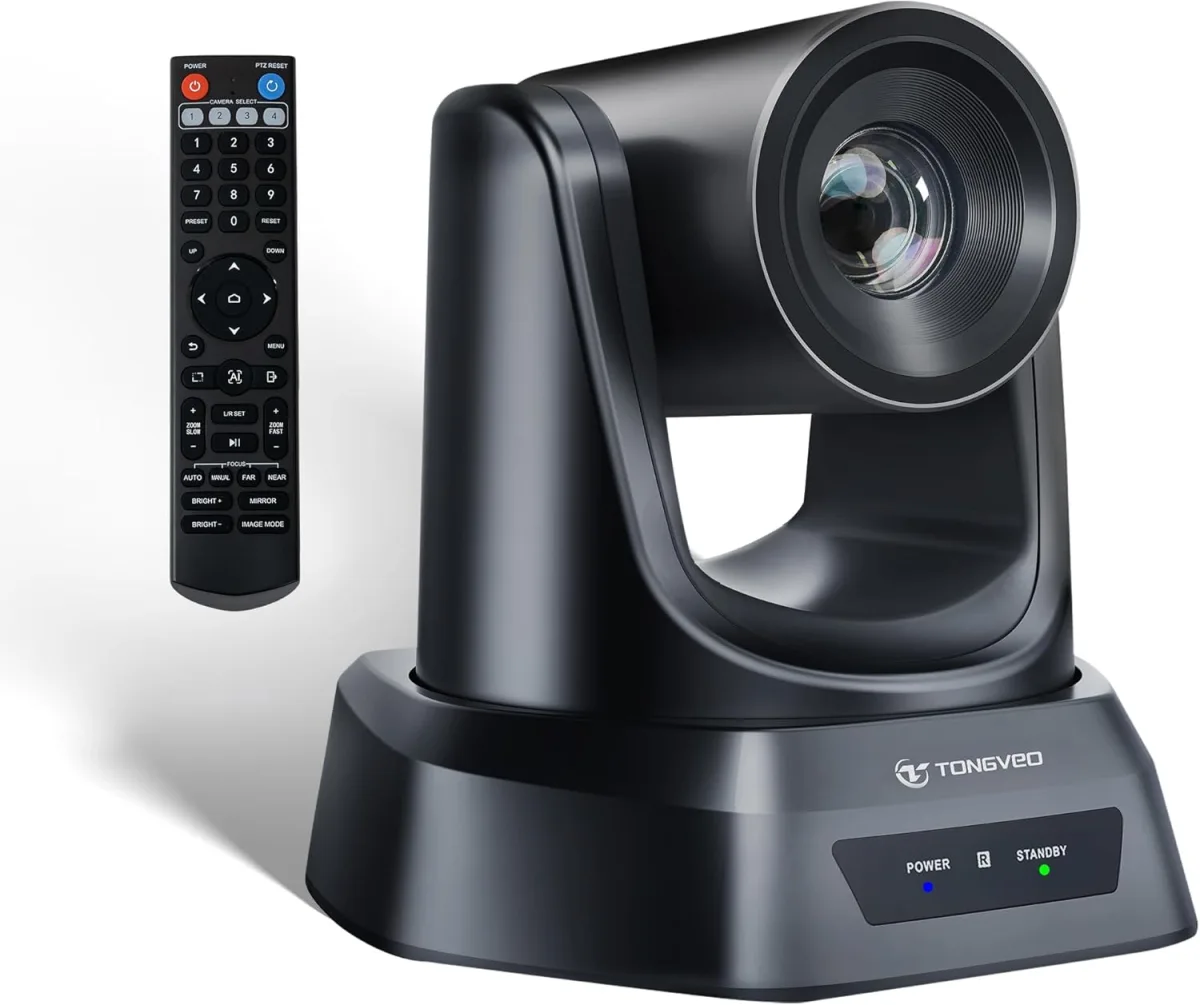
Out of the box, the camera feels reasonably solid. It’s not feather-light, which I appreciate, as it suggests a bit more substance than some of the flimsier options out there. The unit itself is compact, sitting neatly on a tripod or desk mount. In the box, you get the camera, a remote control, a USB 3.0 cable, a power adapter, and a quick start guide. Setup was surprisingly straightforward. I plugged in the power, connected the USB 3.0 cable to my PC, and Windows recognized it almost instantly as a webcam. No drivers needed for basic functionality, which is a huge plus. The HDMI output was equally simple – just plug and play into a monitor or capture card.
Video Quality: Pretty Good, But Not Perfect
The 1080P resolution at 30fps delivers a clear, crisp image, especially in well-lit conditions. For typical conference calls, online lectures, or even basic live streams, the picture quality is more than adequate. Faces are clear, text on a whiteboard is readable from a reasonable distance, and colors are fairly accurate. I noticed that in lower light, there's a bit of noise, which is expected for a camera in this price range. It’s not terrible, but if you’re planning on using it in dimly lit environments, you’ll definitely want to add some external lighting to get the best out of it. It handled varying light sources surprisingly well, though, adjusting exposure without too much hunting.
Zoom & PTZ Functionality: The Star of the Show
This is where the TONGVEO really shines for its price point. The 10X optical zoom is fantastic. It’s smooth and relatively quiet, allowing you to punch in on a speaker or a specific detail without losing much image quality. I used it to zoom in on a small product I was demonstrating and then pull back to show the whole setup, and it performed admirably. The pan and tilt movements are also quite fluid, operated easily with the included IR remote. You can save preset positions, which is incredibly useful for switching between different viewpoints during a presentation or a service. I did notice a slight delay between pressing a button on the remote and the camera moving, but it’s not deal-breaking – just something to factor in if you need instantaneous transitions. The remote itself feels a bit cheap, but it gets the job done.
Connectivity & Compatibility: Versatile Enough
Having both USB 3.0 and HDMI outputs is a big win. The USB 3.0 provides a clean, uncompressed feed directly to your computer, making it perfect for software like OBS, vMix, Zoom, and Skype. I tested it with OBS and Zoom, and it integrated seamlessly as a video source. Latency was minimal over USB 3.0, which is crucial for live applications. The HDMI output is great for local monitoring or feeding into a dedicated video switcher. I also appreciate the wide 51° angle when fully zoomed out – it’s not ultra-wide, but it’s wide enough to capture a good portion of a room without distortion. For those interested, you can check today's price to see if it fits your budget.
Minor Annoyances and What Could Be Better
While I’m generally happy with this camera, it’s not without its quirks. The remote, as mentioned, feels a bit flimsy and has limited range; you need a direct line of sight. Also, the low-light performance, while not terrible, isn't on par with more expensive cameras. It’s definitely designed for environments where you can control the lighting. There's no built-in audio input, so you'll need a separate microphone solution, which is common for PTZ cameras but worth noting if you're a beginner. Lastly, while the pan/tilt is smooth, it's not silent. In a very quiet room, you can hear the motors moving, which might be a concern for highly sensitive audio recordings, though it's typically masked by speech or music in most scenarios.
Who Should Buy This?
- Educators & Small Churches: If you need to stream lectures, sermons, or classes and want the flexibility of optical zoom to focus on a speaker or a visual aid without breaking the bank, this is a solid choice.
- Small Businesses & Startups: For virtual conferences, product demos, or internal training sessions, the TONGVEO provides a professional look without requiring a huge investment.
- Budget-Conscious Streamers: If you're looking to upgrade from a static webcam for your Twitch or YouTube streams and want PTZ capabilities, this offers a great entry point.
- Anyone needing a versatile 1080P PTZ camera: If you're comfortable managing external lighting and audio, this camera delivers excellent value. You can grab it on Amazon if it sounds like a good fit for your needs.
Who Should Skip It?
- Professionals with High-End Budgets: If you demand 4K resolution, ultra-low light performance, or completely silent PTZ operation, you’ll need to spend significantly more for a higher-tier camera.
- Users Needing Integrated Audio: This camera is video-only. If you want an all-in-one solution with a built-in microphone, you'll need to look elsewhere.
- Anyone Needing Ultra-Wide Angle: While 51° is decent, it’s not suitable for capturing extremely wide shots of very large rooms without multiple cameras.
- Users Needing Rock-Solid Remote Control: If you need super precise, instantaneous, and long-range remote control, the included IR remote might frustrate you.
Final Thoughts
Overall, the TONGVEO Live Streaming Camera is a genuinely good value for what it offers. The 10X optical zoom and 1080P video quality are impressive for its price point, and the dual USB 3.0/HDMI outputs make it incredibly versatile. It’s not a perfect camera, and it certainly has areas where more expensive models excel, but for anyone on a budget looking to step up their live streaming or conferencing game, it’s a strong contender. I'm pretty happy with its performance after a few weeks of testing. If you’re looking for a solid workhorse for education, church, or small business use, and you're prepared to handle lighting and audio separately, this camera is definitely worth considering. You can see what others paid and read more reviews directly on Amazon.